
How side-on phone camera rep and hold counting works on your device
How can a phone camera count floor Pilates repetitions or plank holds without uploading video of your bedroom or claiming to grade your body? When you prop your phone side-on against a wall, water bottle, or low shelf, SeeMeFit runs Apache-2.0 MediaPipe Pose Landmarker (version 0.10.14) directly on the phone to read shoulder, hip, knee, and ankle angles in live memory, discarding each camera frame right after counting so zero video is saved or sent to any server.
Why propping the phone side-on makes floor counting reliable
Most floor exercises happen along one clear side profile. During a glute bridge, your hips rise until shoulders, hips, and knees form a straight diagonal line; during a bodyweight squat, your hips sit back and return to standing extension; during a forearm plank, your shoulders, hips, and ankles hold steady above the mat. Looking at those moves straight from the front hides hip and knee angles behind foreshortening, whereas a side-on view exposes the full joint angle clearly even in ordinary bedroom lighting.
Before counting a single rep or hold second, SeeMeFit checks two things on the normalized 2D pose landmarks: your shoulders, hips, knees, and ankles are all inside the camera frame with clear visibility, and the horizontal gap between your left and right shoulders is narrow relative to your torso length (a ratio of 0.38 or below, confirming you are turned side-on rather than facing the lens).
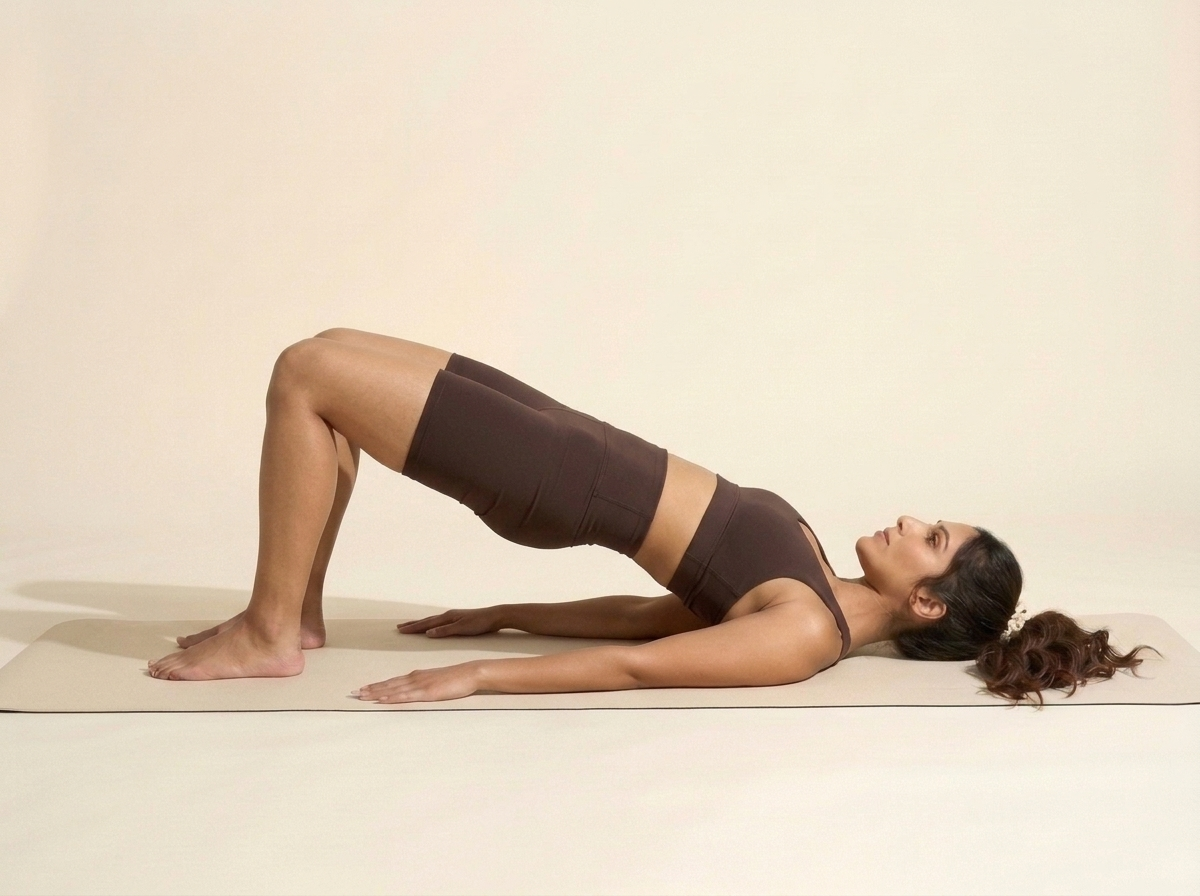
What happens when you step out of frame or want the camera off
Tight rooms, pets walking past the lens, or dim lamps happen in real homes. Whenever part of your body slips out of the frame or you turn toward the screen to read a cue, SeeMeFit never guesses fake reps and never scolds you. Instead, the counter pauses cleanly and shows one plain line: Step back or turn side-on so your whole body fits in the frame, or tap Use Timer.
Every single workout in SeeMeFit — including the gentle 20-second first set of 5 slow glute bridges during onboarding — works from start to finish with the camera off. Tapping Use Timer switches immediately to a calm pace timer and manual tap counter, and you can set timer mode as your default in onboarding or Settings whenever you do not feel like propping the phone up.
Counting evidence of what you did rather than judging form
Phone cameras have one lens and see two-dimensional landmarks, which cannot feel spinal tension or diagnose joint alignment. For that reason, SeeMeFit never claims to judge whether your form is good or bad, never overlays harsh red warning skeletons on your body, and never records clips of you exercising. The counter exists solely to confirm the repetitions and hold seconds you completed and stamp today's mark onto your weekly strip.
Cost and features check: SeeMeFit includes optional on-device side-on rep and hold counting, one-tap timer mode, unlimited move swaps, and a decided four-week home plan for $9.99 a year or $1.99 a month after a 7-day free trial (checked November 16, 2026). By comparison, Sweat ($134.99/year), Melissa Wood Health ($134.99/year), Down Dog Pilates ($99.99/year), Tone AI ($49.99/year), and Workout for Women ($29.99/year) do not include on-device side-on camera counting (checked November 8–10, 2026), while Zing AI includes on-device counting at $18.99 a month ($227.88 across 12 monthly payments, checked November 8, 2026) and tracks weight and calories.